
Patrol report format
The security patrol report format your clients actually read.
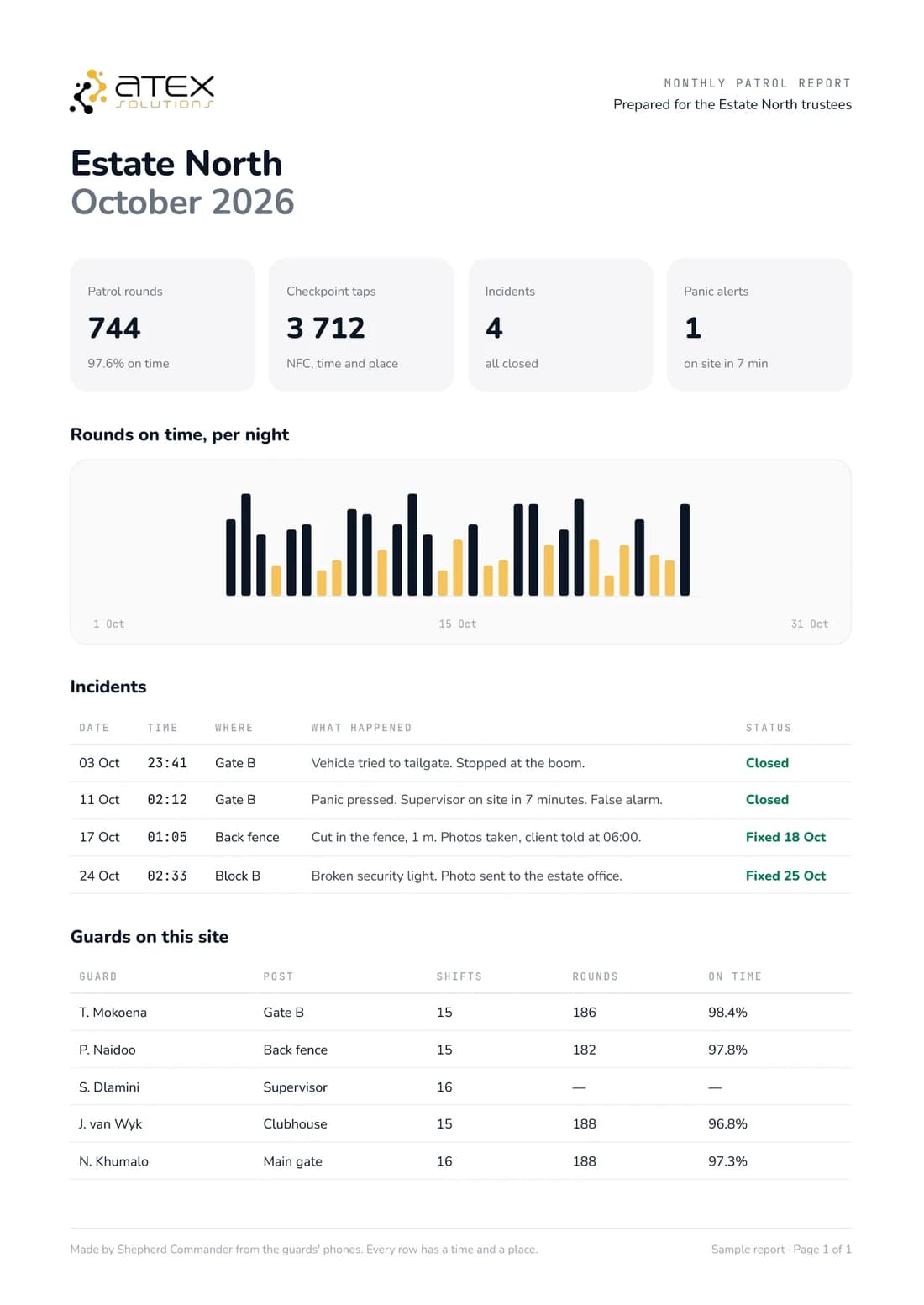
A good patrol report answers one question for the client: what happened on my site last night? It names the site and the officer, lists each checkpoint with its time and place, shows missed points, and adds any incident with photos. Shepherd builds that report from the patrol itself, so nobody retypes a paper sheet.
One short sign-up. We set it up with you and WhatsApp you.
01The problem
Sound familiar?
- 01
Retyped from paper
Someone copies handwritten sheets into a report days later.
- 02
Times with no proof
A written time says nothing about where the officer was.
- 03
Incidents in another file
The client gets the round and the incident from different places.
02What changes
What changes for you.
- 01
Site, officer and shift
Who was on duty, where and for which shift, at the top of the report.
- 02
Every checkpoint, timed
Each checkpoint with its time and place, and the missed points marked.
- 03
Incidents with photos
What the officer found on the round, logged from the phone.
03How it works
Up and running with you.
- Step 1
Register
Tell us about your business, your sites and your team in one short sign-up.
- Step 2
Set up the round
Place checkpoint tags and set the round for each site. Reports then build from each patrol.
- Step 3
We set it up with you
Someone from our team contacts you on WhatsApp to finish the setup together.
 Paid extra
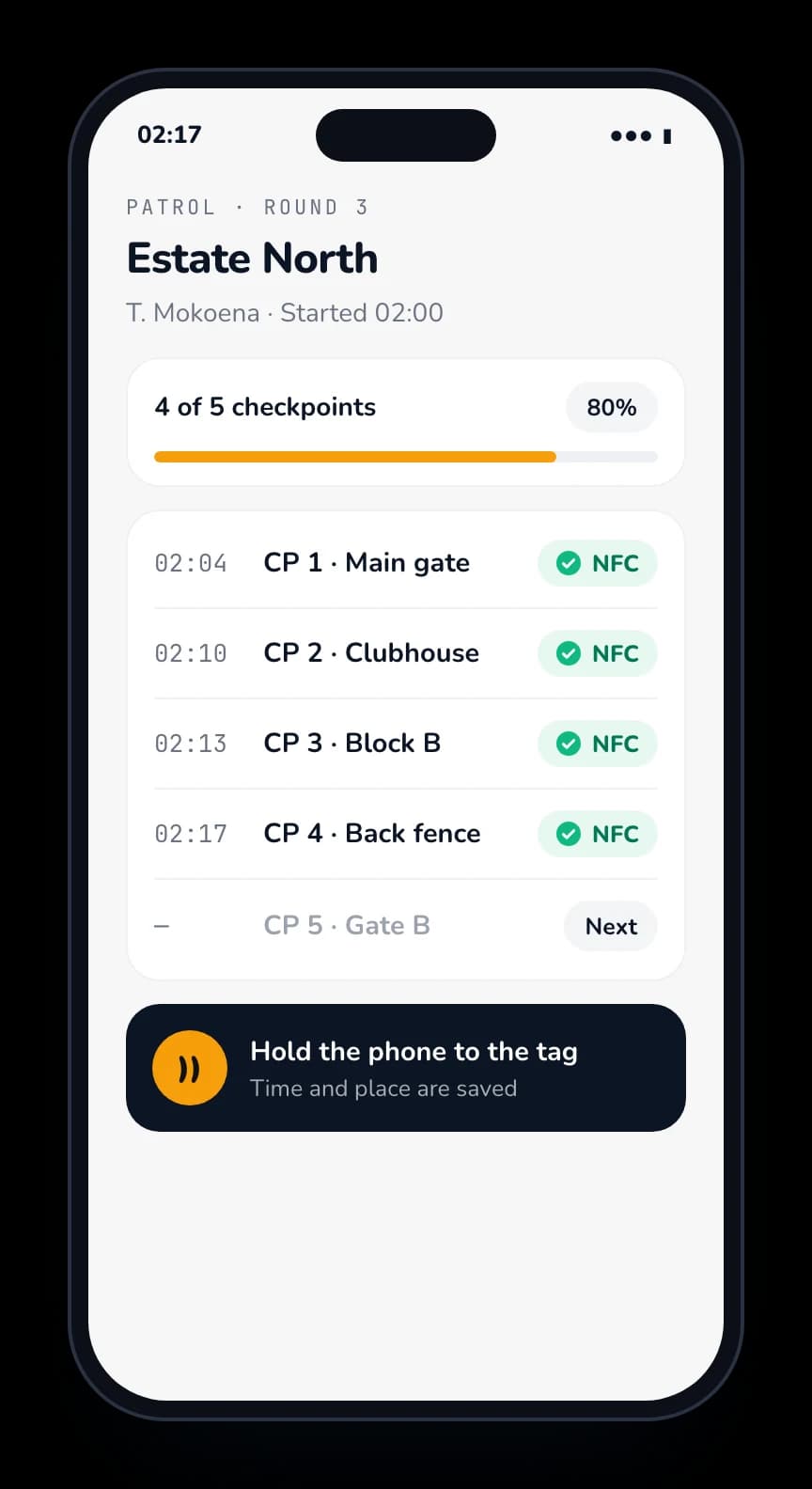
Rounds with NFC tags
Tap a tag at each point. The time and place are saved, not written down.
 Paid extra
Logins for your clients
Your client logs in and sees the work done on their site, without phoning you.
 Paid extra
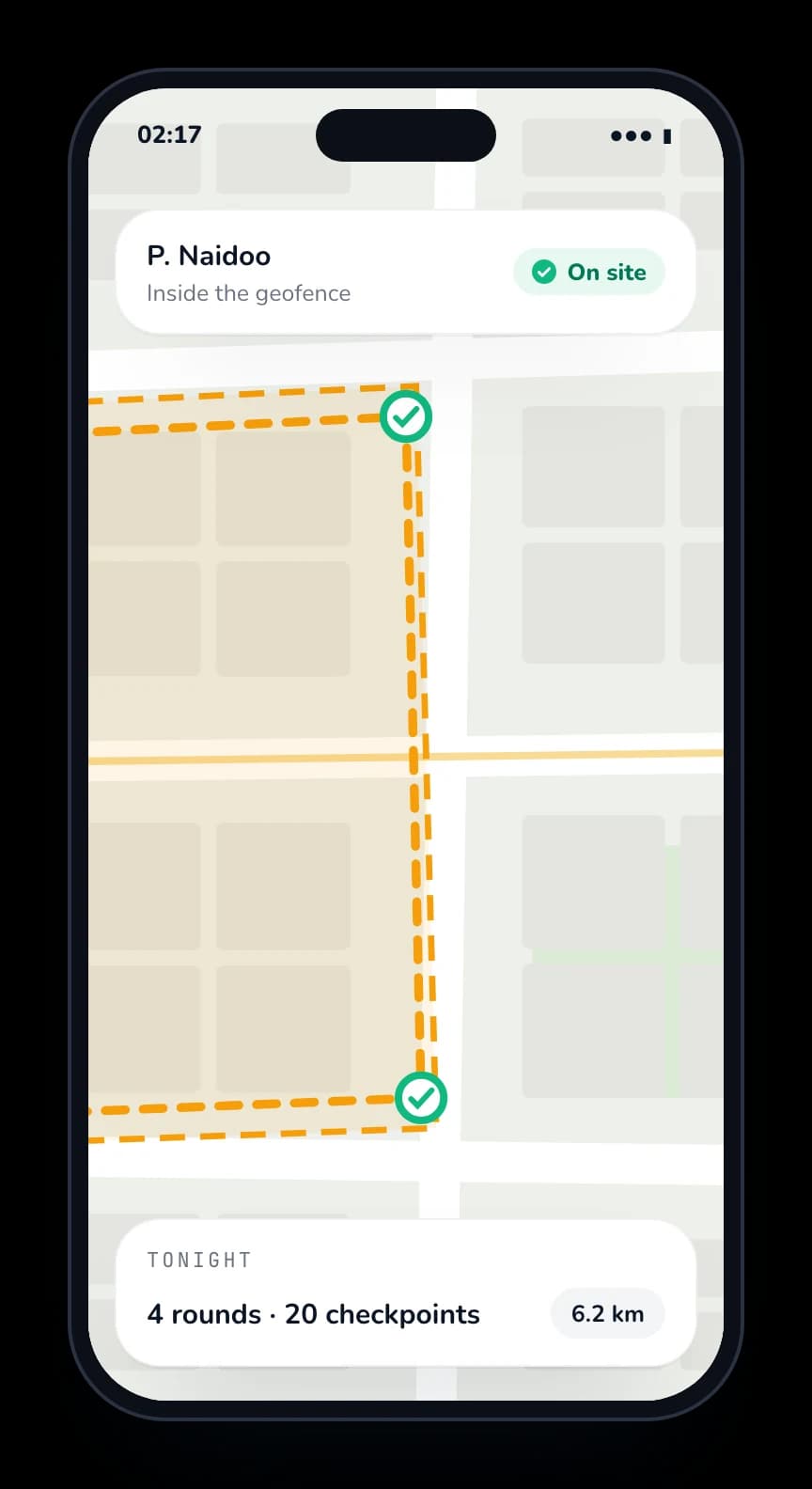
Every site on one live map
See your teams across all your sites, and know when someone leaves a site.
 Paid extra
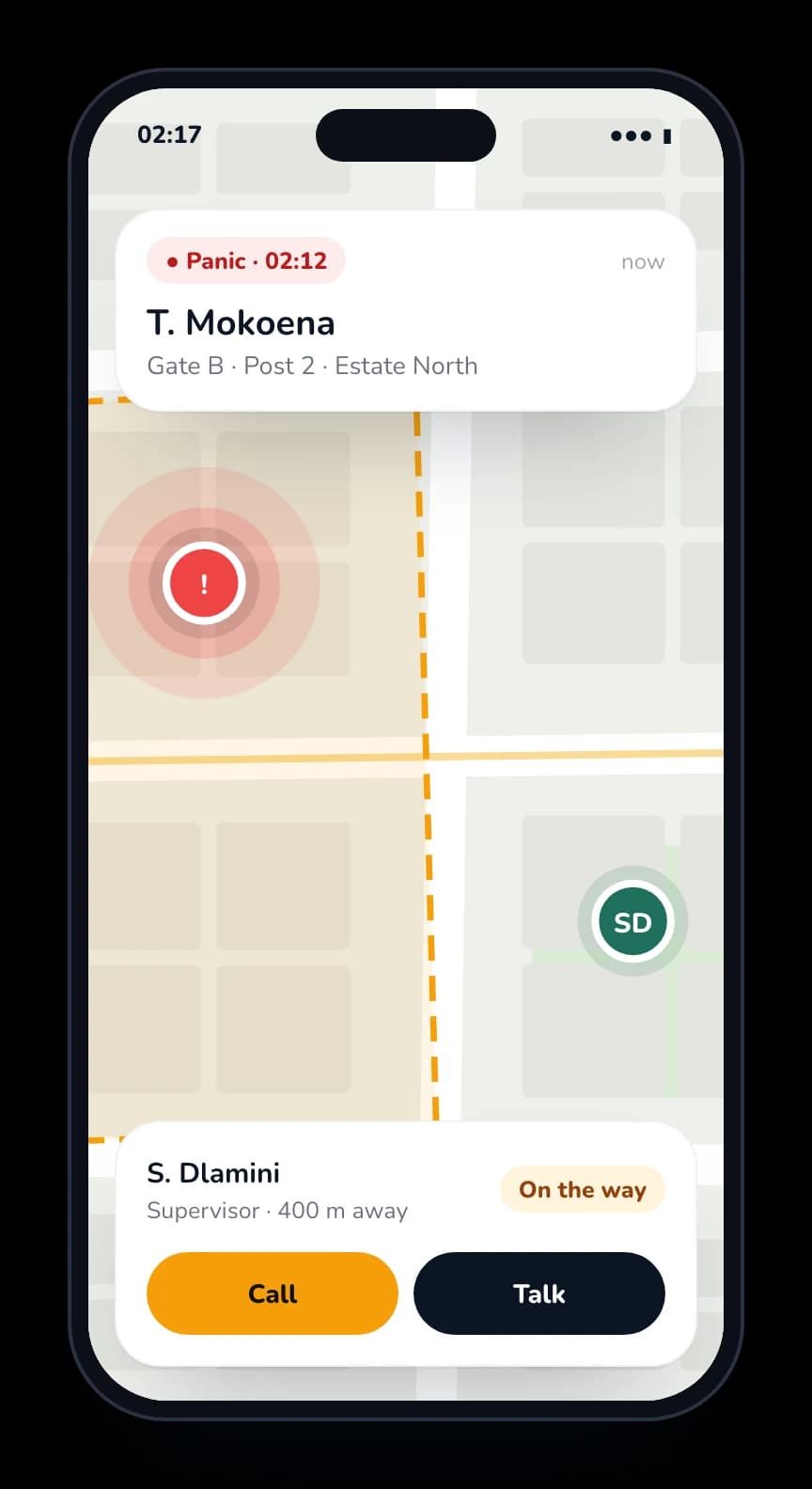
Panic and SOS
One press, and the control room sees who and where.
04Getting started
Start with the basics. Add what you need.
Clock-in and time and attendance are free to start for your whole team, with no card and no contract. Paid features are priced when you register, and only if you pick them.
One short sign-up. We set it up with you and WhatsApp you.
- Clock in on their own phone
- GPS check: only at the site
- Face check, so nobody clocks in for a friend
- See who is at work right now
- Timesheets
- Leave requests
- Staff documents
- Push-to-talk on the phone
- Patrols with NFC checkpoints
- Live tracking and geofences
- Panic and SOS
- Training courses
- Payroll export (Sage, PaySpace, Xero)
- Shift planning
- Many sites on one live map
- Logins for your clients
05Questions
What people ask us.
What should a security patrol report include?
The site, the officer and the shift, each checkpoint with its time and place, any missed checkpoints, and any incidents with notes and photos. A monthly summary on one page helps trustees and site managers.
Do we still need a paper patrol sheet?
Not for the round itself. Each checkpoint tap is saved with its time and place, so the report builds from the patrol.
Can reports go to the client on their own?
Yes. Reports can go out on their own, and your client can also log in to see the patrols and incidents on their site.
Is it built in South Africa?
Yes. Shepherd is built, developed and supported by our own team in South Africa, so feedback and changes go straight to the people who build it.
What does it cost?
Clock-in and time and attendance are free to start, with no card and no contract. Paid features such as push-to-talk, patrols, live tracking, panic and client logins are priced when you register, and only if you pick them.